In the fast-paced world of social media, consistency is key, but maintaining it can feel like a constant battle. A well-structured content calendar is the secret weapon of top creators and brands, transforming chaotic posting schedules into a streamlined, strategic workflow. It's the difference between posting on a whim and executing a plan that drives real growth and engagement. To streamline your content workflow and overcome content chaos, you can consult an essential editorial calendar template guide for foundational principles.
This guide moves beyond theory to explore seven diverse social media content calendar examples, from free downloadable templates to integrated platform planners. We'll break down the strategic advantages of each, providing actionable insights, screenshots, and direct links to help you choose and adapt the perfect system for your needs. We will cover options from dedicated tools like Hootsuite and Later to flexible platforms like Notion and ClickUp, and even creative marketplaces like Etsy.
Furthermore, we'll show you how to supercharge your chosen calendar by pairing it with SachaSoft AI's scheduling and generation features. This powerful combination turns your organized plan into a powerhouse of high-impact, AI-generated content that resonates with your audience and saves you hours of work.
1. Hootsuite: The Classic Spreadsheet for Foundational Planning
Hootsuite provides one of the most classic and widely used social media content calendar examples available. Offered as a free, downloadable template for Google Sheets or Excel, it serves as an excellent starting point for teams and individuals building their first structured content plan. The template is straightforward, leveraging the familiarity of a spreadsheet to reduce the learning curve.
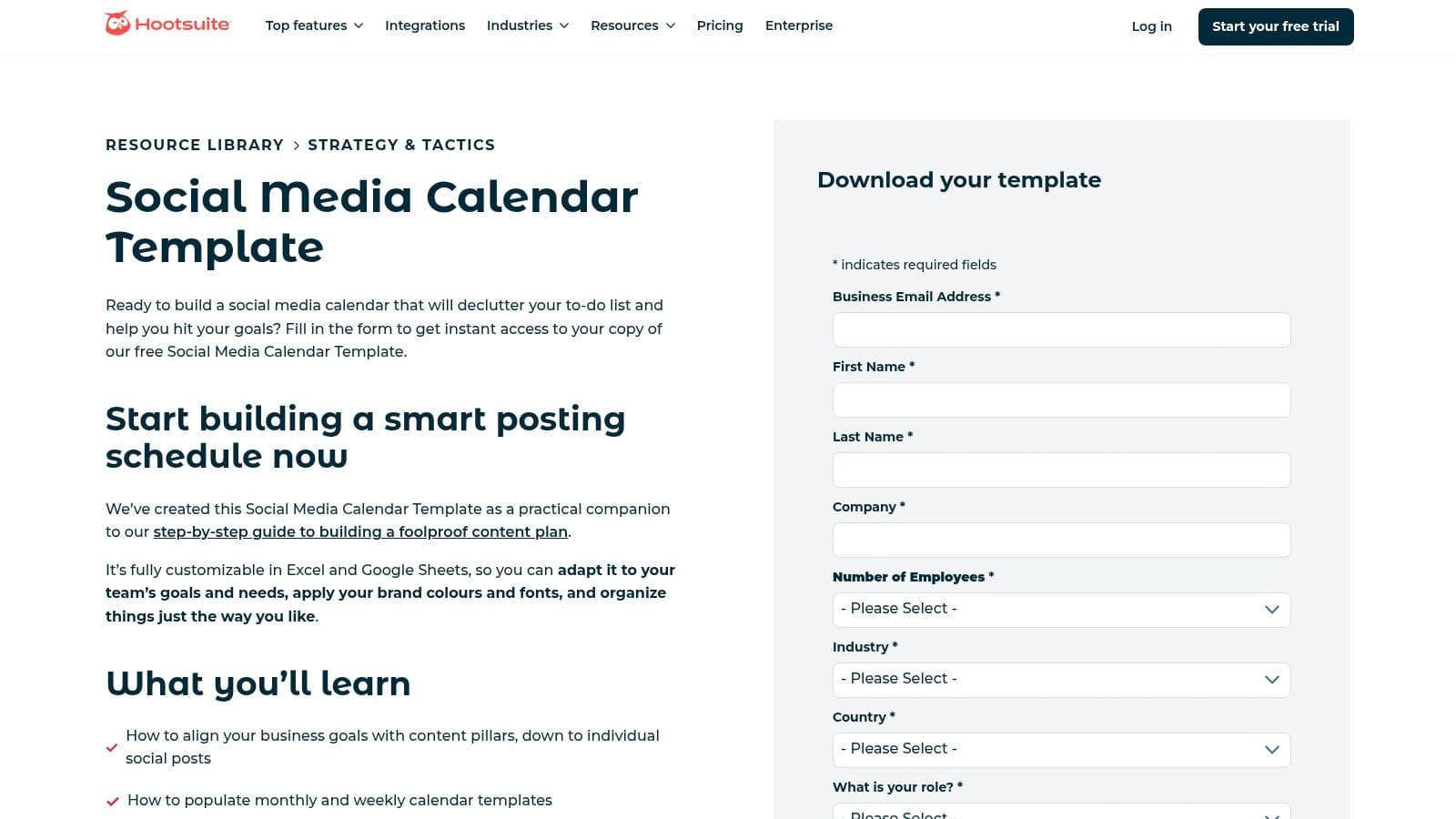
The key strength of this resource lies in its practical design, which is grounded in Hootsuite’s extensive experience in social media management. It’s more than just a blank grid; it’s a foundational framework for strategic planning.
Strategic Breakdown & Analysis
What makes the Hootsuite template stand out is its emphasis on workflow and content strategy, not just scheduling. The inclusion of separate tabs for an evergreen content library and content pillar mapping encourages users to think strategically from the outset.
- Content Pillars & Evergreen Library: This structure forces you to plan thematically, ensuring your posts align with core business goals rather than being ad-hoc.
- Multi-Channel Layout: Pre-built monthly and weekly tabs are designed for cross-platform planning, making it easy to visualize how content will be adapted for Facebook, Instagram, LinkedIn, and others.
- Detailed Guidance:The template is paired with a comprehensive article that walks you through Hootsuite’s own process for using it, providing valuable context.
Key Insight: This template is a masterclass in foundational organization. It teaches the process of content planning, making it an ideal educational tool for new social media managers or small teams establishing a workflow.
Actionable Takeaways & Tips
To get the most out of this template, use it as a strategic blueprint before moving content into a publishing tool.
- Establish Your Pillars First: Before filling in a single date, complete the content repository and pillar tabs. This will make daily content planning significantly faster.
- Use it for Collaboration: Share the Google Sheet with your team for brainstorming and approvals. Use the comment feature to discuss post copy, visuals, and hashtags.
- Integrate with SachaSoft AI:Once your monthly plan is mapped out in the spreadsheet, use SachaSoft AI’s content generation features to create the specific post copy and visuals. Then, leverage its scheduling tool to automate the publishing process, effectively bridging the gap between manual planning and automated execution.
While the template itself is free, it requires an email submission to download. As a spreadsheet, it lacks direct publishing and analytics capabilities, which are core features of the full Hootsuite platform. For those looking for more integrated solutions, it's helpful to explore Hootsuite alternatives that combine planning, scheduling, and analytics in one place.
2. Later: The Visual-First Calendar for Instagram & TikTok
Later offers a powerful one-two punch for modern social media managers: a free, downloadable Google Sheets template paired with a sophisticated in-app visual calendar. This approach makes it one of the best social media content calendar examples for visually driven brands, especially those prioritizing Instagram and TikTok, as it bridges the gap between initial brainstorming and final feed aesthetic.
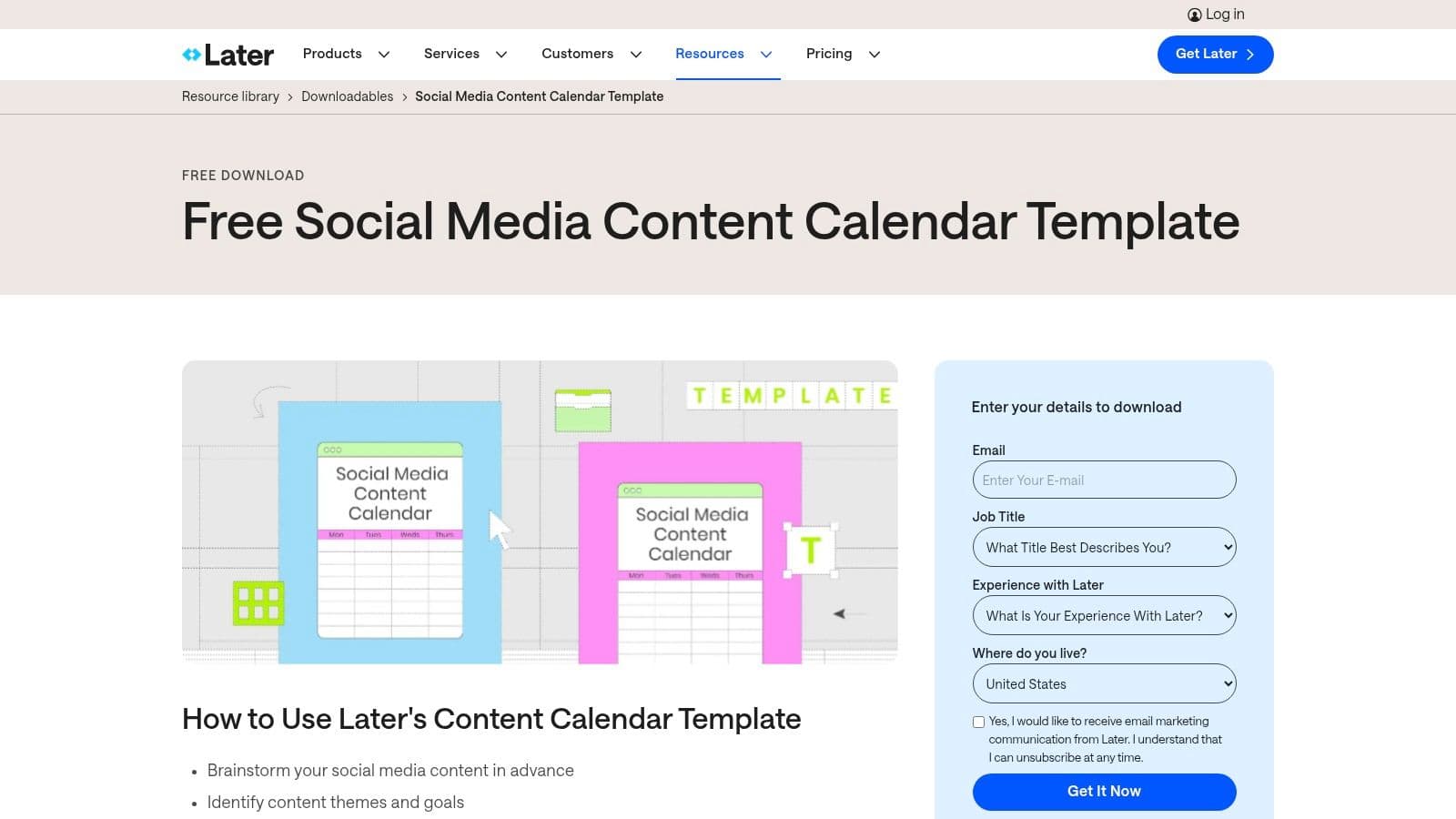
The free template itself is a great starting point, packed with guidance for key dates and content themes for 2026. However, its true value is realized when used as a stepping stone into Later’s platform, where the visual planner becomes the central hub for content strategy.
Strategic Breakdown & Analysis
Later’s methodology is built around the idea that how your content looks togetheris as important as what individual posts say. The platform’s calendar moves beyond a simple grid, offering a drag-and-drop visual planner that lets you preview and perfect your Instagram feed before anything goes live.
- Visual Feed Planning: The ability to see your scheduled posts as they will appear on your profile grid allows you to curate a cohesive and professional brand aesthetic.
- Template to Tool Workflow: The free template encourages foundational planning (themes, events, holidays), which can then be brought to life inside the visual software.
- Up-to-Date Educational Resources:Later consistently provides content and tips relevant to current trends, ensuring your planning process is informed by what’s working now.
Key Insight: Later champions a visual-first strategy. Its calendar is less about filling slots and more about curating a digital experience, making it indispensable for brands in fashion, beauty, travel, and design.
Actionable Takeaways & Tips
Use Later to seamlessly transition from high-level planning to pixel-perfect execution. The platform is accessible via a 14-day free trial, after which a paid subscription is required for full feature access.
- Mockup Your Grid: Use the Visual Planner to arrange your posts for the week or month. Drag and drop images until you achieve the desired flow and color balance.
- Plan in the Spreadsheet, Perfect in the App: Use the Google Sheet template for broad-stroke planning and team collaboration. Once ideas are approved, move them into the Later app to finalize visuals and scheduling.
- Generate Content with AI: After visually mapping your feed in Later, use SachaSoft AI to generate compelling captions, hashtag groups, and even visual ideas that match your planned aesthetic. You can then copy this content directly into your scheduled posts in Later.
While Later excels at visual planning, its full power is unlocked within its own ecosystem. For those who want to compare its scheduling capabilities against other tools, you can discover more about various social media scheduling tools to find the perfect fit for your workflow.
3. Canva: The All-in-One Visual Design and Scheduling Hub
Canva has evolved from a graphic design tool into a comprehensive content creation and management platform. Its built-in Content Planner, available with Canva Pro, offers one of the most streamlined social media content calendar examples by integrating visual creation directly with scheduling. This eliminates the need to switch between different tools for designing assets and publishing them.
The primary advantage of Canva's approach is its seamless workflow. Users can design a graphic, video, or presentation and, with a few clicks, schedule it to post on platforms like Instagram, Facebook, and LinkedIn directly from the design interface. This efficiency makes it a powerful choice for solo creators and small teams.
Strategic Breakdown & Analysis
Canva’s Content Planner excels by unifying the creative and logistical aspects of social media management. It turns the calendar from a static planning document into an active, visual-first publishing queue.
- Design-to-Schedule Workflow: The ability to schedule content immediately after creation dramatically speeds up the content production pipeline. This encourages more frequent and consistent posting.
- Visual-First Planning:The calendar view displays thumbnail previews of your scheduled designs, allowing for a quick visual audit of your feed's aesthetic and content balance.
- Integrated Idea Generation: With access to millions of templates, photos, and design elements, brainstorming and creation happen in the same environment, reducing creative friction.
Key Insight:Canva’s Content Planner transforms the calendar from a simple organizational tool into an end-to-end production studio. It’s ideal for visually driven brands that prioritize design consistency and workflow efficiency.
Actionable Takeaways & Tips
To maximize the benefits of Canva’s integrated system, focus on building a library of reusable templates that align with your brand.
- Create Branded Templates: Develop a set of custom templates for different post types (e.g., quotes, announcements, testimonials). This ensures brand consistency and allows you to create new content in minutes.
- Leverage the Mobile App: Use the Canva mobile app to make quick edits or reschedule posts on the go, providing flexibility for busy social media managers.
- Complement with SachaSoft AI: While Canva handles design and scheduling, you can use SachaSoft AI to generate the strategic copy and captions for your visuals. This pairing allows you to leverage an AI social media content generator for powerful messaging while using Canva for stunning, on-brand visuals and seamless publishing.
The Content Planner is a feature of the Canva Pro subscription, though a 30-day free trial is available. While it offers a highly integrated experience, it may lack the advanced analytics and highly customizable fields found in dedicated social media management platforms. Learn more about the Content Planner on the official Canva website.
4. Notion Template Gallery: The All-in-One Digital Workspace
For teams already embedded in the Notion ecosystem, the official Notion Template Gallery offers a powerful and highly integrated approach to content planning. Instead of a standalone file, these templates function as dynamic databases within your existing workspace, consolidating planning, task management, and content creation into a single, unified environment.
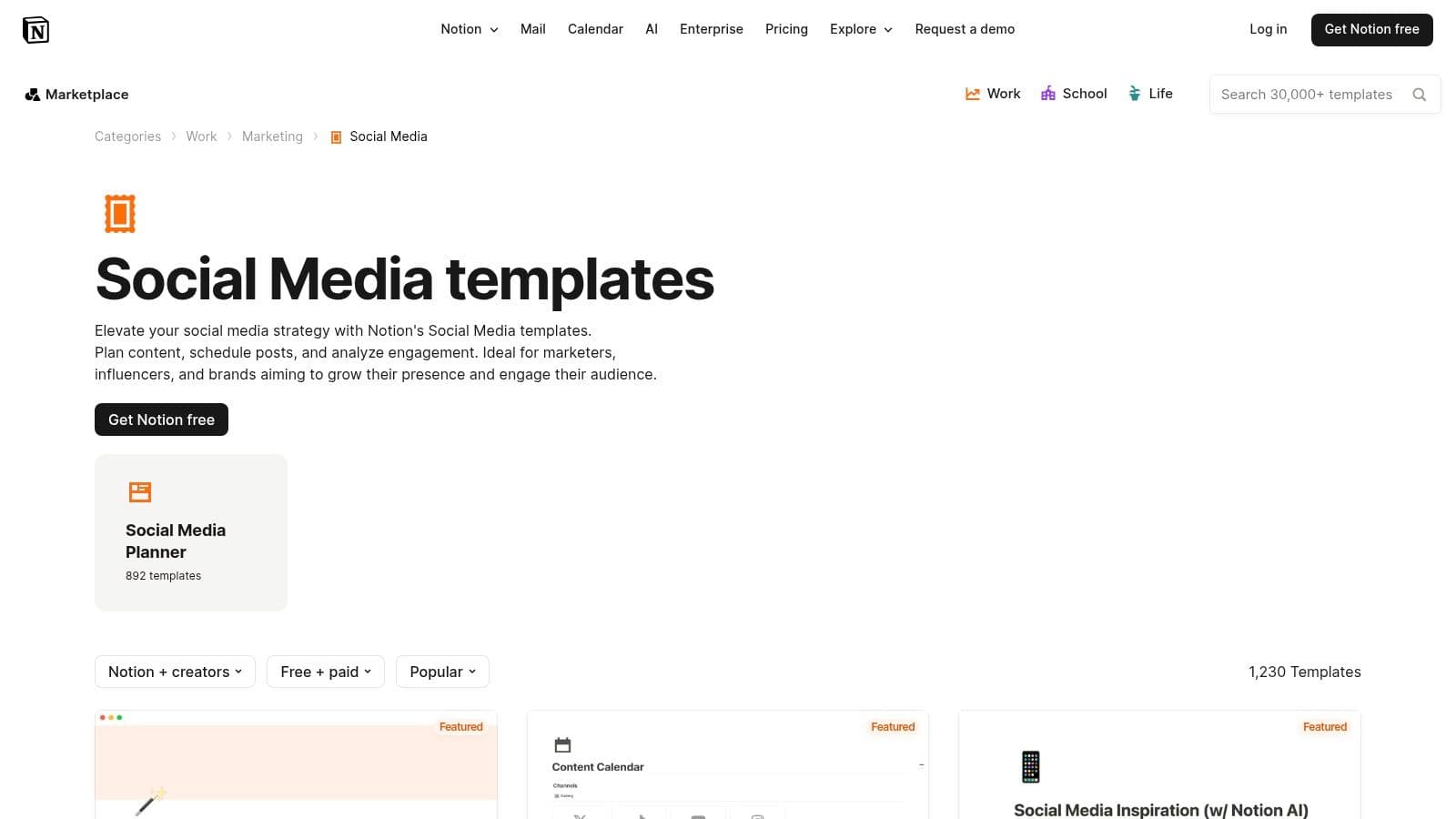
The gallery features a vast collection of both free and paid social media content calendar examples from Notion and independent creators. The key advantage is one-click integration, allowing you to instantly import a fully functional calendar, Kanban board, or content database directly into your team’s hub.
Strategic Breakdown & Analysis
Notion templates transform the content calendar from a static schedule into a living project management tool. Their strength lies in unparalleled customizability and the ability to link content planning directly to broader marketing objectives, team tasks, and asset libraries.
- Database-Driven Flexibility: Unlike spreadsheets, Notion templates are built on databases. This allows you to create multiple views (calendar, list, gallery, Kanban) of the same content, catering to different workflow preferences.
- Integrated Task Management: Each content piece can be a full page containing drafts, assigned team members, status updates, and approval checklists. This eliminates the need for separate project management tools.
- Centralized Asset & Idea Hub: You can link your content calendar directly to other Notion pages, creating a central repository for brand assets, content pillars, brainstorming notes, and performance data.
Key Insight: Notion is ideal for teams that want to manage the entire content lifecycle, from ideation to post-mortem analysis, in one place. It excels at connecting high-level strategy with granular execution.
Actionable Takeaways & Tips
To leverage Notion effectively, embrace its database properties and connect it to your other tools for a seamless workflow.
- Customize Your Properties:Add custom properties to your database for "Content Pillar," "Status" (e.g., Idea, Drafting, Approved), "Target Persona," and "Campaign." This turns your calendar into a powerful strategic dashboard.
- Build a Content Pipeline:Use the Kanban board view to visualize your content pipeline. Create columns for each stage of your workflow (e.g., "Backlog," "In Progress," "Needs Review," "Scheduled") to track progress at a glance.
- Bridge Planning and Publishing with SachaSoft AI:After planning and drafting content within your Notion database, use SachaSoft AI to generate the final copy and visuals. You can then copy-paste the finalized content into SachaSoft AI’s scheduler for automated publishing, combining Notion’s deep planning capabilities with streamlined execution.
Many powerful templates are available for free directly from the Notion Template Gallery. While Notion itself is a powerhouse for planning, it lacks native scheduling. To get started, pair the template you pick with a real posting cadence — our guide to LinkedIn posting best practices gives you the frequency and timing rules to drop straight into the calendar.
5. ClickUp: The Project Management Powerhouse for Content Teams
ClickUp transitions the social media content calendar from a simple schedule into a dynamic project management hub. It offers several free, pre-built templates that integrate calendar, board, and list views directly within its powerful workspace, making it one of the most robust social media content calendar examples for teams that need to manage complex workflows. This approach is ideal for agencies and marketing departments where content creation involves multiple stages and stakeholders.
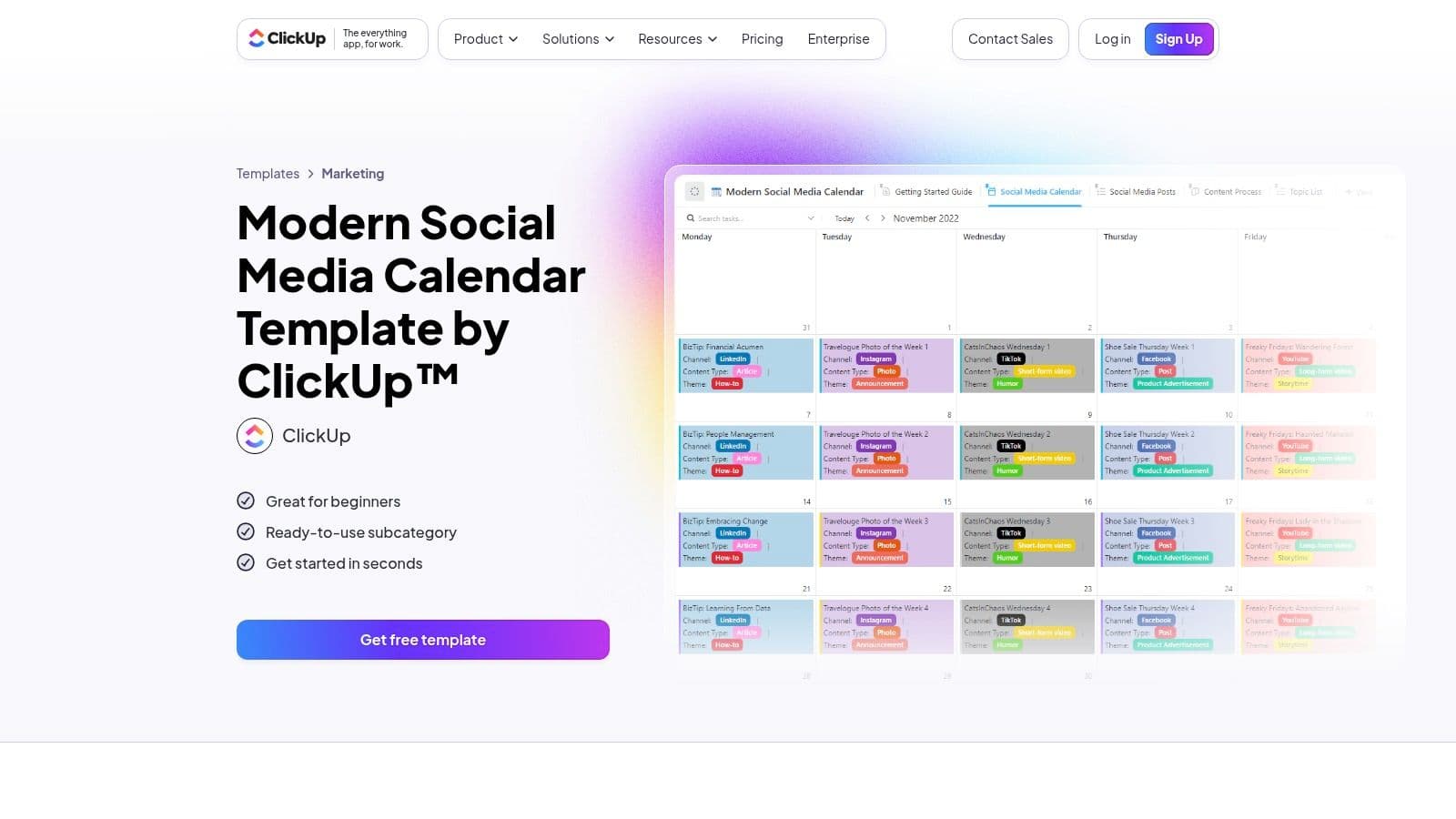
The primary advantage of using a ClickUp template is its ability to connect content scheduling with actionable task management. Each post on the calendar is a task that can be assigned, tracked, and moved through a production pipeline, providing complete visibility from idea to publication.
Strategic Breakdown & Analysis
ClickUp’s strength lies in its process-oriented structure, which turns content planning into a transparent and accountable workflow. The templates are designed not just for scheduling but for managing the entire content lifecycle.
- Custom Status Workflows:Track each piece of content as it moves through stages like "Draft," "In Review," "Approved," and "Published." This eliminates bottlenecks and clarifies where every asset stands.
- Integrated Views: Seamlessly switch between a traditional calendar view, a Kanban board for workflow visualization, and a list view for detailed task management. This flexibility allows team members to work in the format they prefer.
- Custom Fields for Strategy: Add specific fields for platforms, content pillars, campaign tags, target audiences, or links to assets, ensuring all strategic information is tied directly to the scheduled post.
Key Insight: ClickUp excels by treating content as a project. This project-based approach provides unparalleled clarity on team capacity, production timelines, and approval processes, making it perfect for scaling content operations.
Actionable Takeaways & Tips
To leverage ClickUp's full potential, integrate its project management features deeply into your content strategy.
- Build Your Production Pipeline:Customize the status workflow to match your team’s exact process. Define who is responsible for each stage to create clear accountability.
- Use Automations: Set up automations to streamline your workflow. For example, automatically assign a task to the graphic designer once the copy is approved, or notify the marketing manager when a post is ready for final review.
- Connect to SachaSoft AI: Plan your calendar and manage the workflow in ClickUp. When a post task is created, use the AI post generator to draft the copy and visual concepts. Paste the generated content back into the ClickUp task for review and approval before scheduling.
While the templates are free within any ClickUp account (including the free tier), the platform can have a steeper learning curve for those new to project management tools. It also relies on external integrations for direct publishing and in-depth analytics.
6. Etsy: The Marketplace for Hyper-Specific and Creative Templates
Etsy offers a vast and diverse marketplace for social media content calendar examples, moving beyond standard corporate templates into a world of creative and niche-specific designs. Instead of a single template, it provides access to thousands of options created by independent designers, available as downloadable spreadsheets, Notion dashboards, and Canva planners. This makes it an ideal source for finding a calendar that matches a specific brand aesthetic or industry need.
The primary strength of Etsy is the sheer variety and affordability. For a small one-time cost, often between $5 and $20, users can get an instantly downloadable, highly stylized planner tailored to platforms like Instagram or specific fields like real estate, coaching, or e-commerce.
Strategic Breakdown & Analysis
What makes Etsy unique is its focus on aesthetic and user-specific functionality. Sellers compete on design, ease of use, and bonus features, resulting in templates that are often more visually engaging and intuitively organized for solo creators and small businesses.
- Niche-Specific Content: Many templates come pre-filled with content ideas, national holidays, and engagement prompts relevant to a particular industry, saving valuable brainstorming time.
- Format Diversity:You can choose the format you're most comfortable with, whether it's a hyper-linked Canva PDF, a robust Notion dashboard with integrated databases, or a classic Google Sheet.
- Aesthetic Alignment: The templates are designed with visual branding in mind, making the planning process itself more inspiring and aligned with the creative nature of social media.
Key Insight:Etsy democratizes template design, offering hyper-specialized and visually appealing solutions that corporate tools often lack. It’s the perfect resource for finding a calendar that fits your specific workflow and brand identity, rather than forcing you into a one-size-fits-all framework.
Actionable Takeaways & Tips
To find the best template on Etsy, leverage the platform’s search and review features. Look for sellers with high ratings and detailed product descriptions.
- Filter by Your Tools:Search specifically for "Notion content calendar" or "Canva social media planner" to find a template that integrates with your existing software stack.
- Check for Included Prompts: Many sellers include hundreds of content prompts or hashtag lists as a bonus. This can be a huge value-add for kickstarting your content creation.
- Use as a Base for SachaSoft AI: Find a template with a strong strategic structure and content ideas. Use those prompts as a brief for SachaSoft AI to generate the full post copy, captions, and even visual concepts, streamlining the process from idea to published post.
Most templates on Etsy are instant digital downloads. However, quality can vary significantly between sellers, and there is no centralized support, so be sure to read reviews and shop policies carefully before purchasing.
7. Amazon: The Analog Approach to Tactile Planning
For those who thrive on tactile, pen-to-paper organization, Amazon offers a vast marketplace of physical social media content calendar planners. These printed books and workbooks provide a refreshing, screen-free alternative to digital spreadsheets and apps, serving as a dedicated space for brainstorming and strategic mapping. They are designed for individuals and teams who find clarity in analog tools.
The primary advantage of this option is its simplicity and focus. Without the distractions of notifications and browser tabs, a physical planner encourages deep, uninterrupted strategic work. Amazon's extensive selection means you can find a layout that perfectly matches your specific planning style.
Strategic Breakdown & Analysis
What makes these physical planners a compelling social media content calendar example is their structured, goal-oriented design. Many are more than just blank calendars; they are comprehensive workbooks that guide you through the entire content strategy process, from high-level goals to individual post details.
- Guided Strategy Sections: Planners often include dedicated pages for defining your target audience, setting quarterly goals, tracking key metrics like follower growth, and brainstorming campaign ideas.
- Tangible Workflow: The physical act of writing down plans can enhance memory and commitment. It also creates a tangible record of your strategy that can be easily referenced during team meetings.
- Distraction-Free Environment: By stepping away from the screen, you create a focused space for creative thinking and high-level planning without the constant pull of digital tools.
Key Insight: A physical planner excels at the ideation and strategy phase. It forces a deliberate and thoughtful approach to content planning that can sometimes be lost in the fast-paced, multi-tab environment of digital tools.
Actionable Takeaways & Tips
To maximize the benefits of an analog planner, use it as the foundational first step in your content workflow.
- Read Reviews and Previews:Product quality varies. Before purchasing, carefully read user reviews and use Amazon's "Look Inside" feature to ensure the layout and included sections meet your needs.
- Dedicate Time for Analog Planning: Set aside specific, screen-free time each week to work in your planner. Use this time for brainstorming, outlining monthly themes, and sketching out campaign concepts.
- Bridge Analog and Digital with SachaSoft AI: Once your ideas are solidified in the planner, transition to digital for execution. Use SachaSoft AI to generate the specific post copy and visuals based on your written notes. Then, schedule the finished content directly through the platform to automate the publishing process.
Most planners are available for immediate purchase on Amazon, with many options offering Prime shipping for fast delivery. Since these are physical products, they lack digital integration and require manual transfer of your plans to a scheduling tool.
Top 7 Social Media Content Calendar Comparisons
Here's a summary of the seven calendar examples to help you compare them at a glance:
| Calendar | Implementation complexity | Resources needed | Best for | Key advantage |
|---|---|---|---|---|
| Hootsuite | Low — a simple spreadsheet | Minimal; the template is free | Teams needing a basic, familiar calendar format | Free and easy to use |
| Later | Medium — template plus the in-app calendar | Free template; paid plan for the full planner | Visual-first teams on Instagram and TikTok | Powerful visual planner combined with a free starter template |
| Canva | Medium | High — needs a Canva Pro subscription | Design-heavy teams wanting creation and scheduling in one tool | Seamless workflow from design to published post |
| Notion Template Gallery | Medium to high, depending on customization | Free templates; an existing Notion workspace | Existing Notion users who want deep integration and flexibility | Huge template library and extensive customization options |
| ClickUp | Medium to high | Free templates on any plan, including the free tier | Teams combining content planning with task and project management | Free templates plus powerful workflow tracking |
| Etsy | Low to medium — download and use | A small one-time purchase, usually $5–$20 | Buyers wanting affordable, niche-specific templates | Aesthetically pleasing, hyper-specific designs |
| Amazon | Lowest — no digital setup at all | A low-cost physical planner | Individuals who prefer pen-and-paper planning | Tangible and distraction-free |
From Planning to Publishing: Activating Your Content Strategy
We've explored a diverse landscape of social media content calendar examples, from the robust, all-in-one platforms like Hootsuite and Later to the endlessly customizable templates found in Notion and ClickUp. We've seen how tools like Canva integrate design directly into your scheduling workflow, and how even physical planners from Etsy and Amazon can provide a focused, tactile approach to content mapping.
The common thread woven through each successful example is strategic intent. A content calendar is far more than a simple schedule; it's the blueprint for your digital communication, the bridge connecting your daily posts to your overarching business goals. It’s where you transform abstract ideas into a tangible, actionable plan.
Key Takeaways for Building Your Content System
As you move forward, remember these core principles drawn from the examples we analyzed:
- Function Over Form:The best calendar is the one you consistently use. Whether it's a sleek digital dashboard or a simple spreadsheet, prioritize a system that fits seamlessly into your existing workflow rather than one that looks impressive but creates friction.
- Flexibility is Crucial: Your strategy will evolve. Your calendar must be adaptable enough to accommodate last-minute opportunities, shifts in platform trends, and changes in your marketing objectives without causing a complete system breakdown.
- Data-Driven Decisions: Use your calendar not just for planning but for analysis. Track performance metrics directly within your tool or alongside it to understand what resonates with your audience. This feedback loop is essential for refining your content strategy over time.
Choosing Your Path Forward
Selecting the right tool depends entirely on your specific needs. Are you a solo creator who needs maximum flexibility? A Notion or ClickUp template might be your perfect match. Do you manage multiple accounts for various clients and require deep analytics and collaboration features? A platform like Hootsuite or Later is likely the more strategic choice.
Regardless of the tool you choose, the goal remains the same: to create a system that liberates you from the stress of last-minute content creation. A well-structured calendar provides the clarity and organization needed to focus on what truly matters: creating valuable content that builds community and drives results. By implementing the actionable strategies discussed with each of these social media content calendar examples, you can turn content chaos into a predictable, growth-oriented machine.
The final step is to merge your strategic planning with intelligent execution. This is where you can reclaim hours of your week and elevate the quality of your output simultaneously. By pairing your chosen calendar with an AI-powered content creation tool, you build a powerful, streamlined engine that handles the heavy lifting, allowing you to operate as a high-level strategist.
Ready to transform your content calendar from a static plan into a dynamic content engine? SachaSoft AI helps you generate high-quality, on-brand social media posts in minutes, perfectly complementing any of the calendar examples discussed. See how teams generate viral LinkedIn posts in minutes and discover how to fill your content schedule with compelling posts, faster than ever before.